Skip to content Skip to footer

🎉 Congratulations on Completing Your Course!

Congratulations on successfully completing your course. This accomplishment reflects your hard work and commitment to learning. We wish you continued growth and success in your future endeavours.

How to Verify Your Course Certificate

Follow the simple steps below to verify the authenticity of your course certificate. The process is quick, secure, and fully automated.

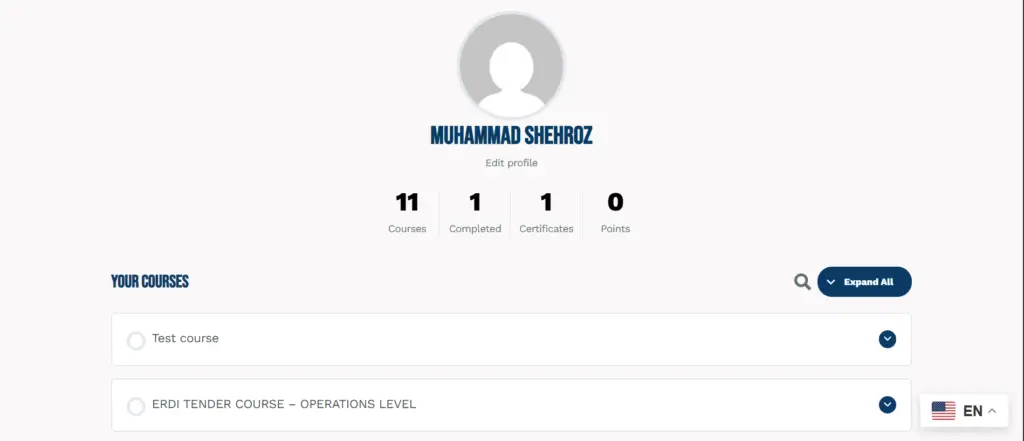
Step 1: Go to My Courses

Visit your My Courses page using the link below.

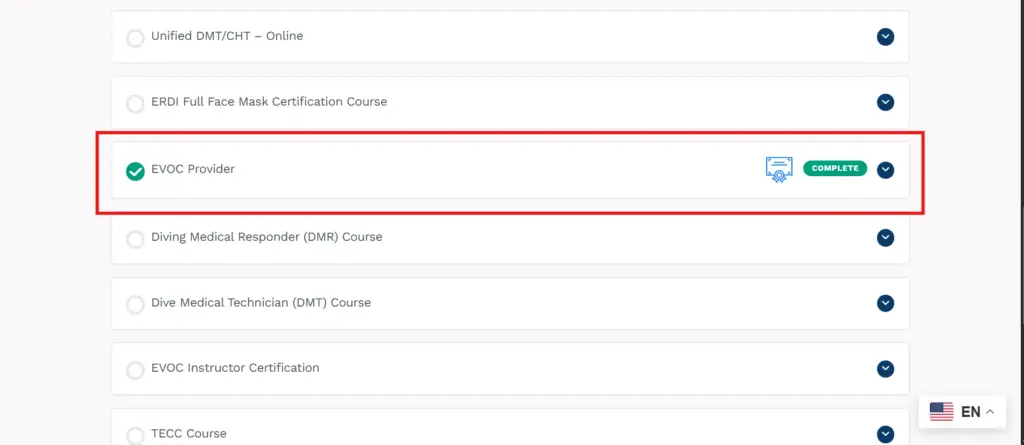
Step 2: Check Your Completed Course

Locate the course you have successfully completed. Only completed courses will have a certificate available.

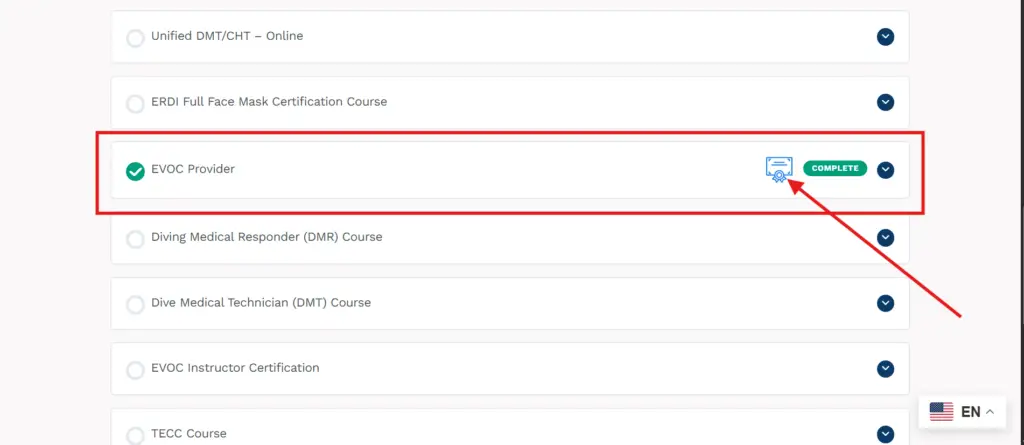
Step 3: Click the Certificate Icon

Click on the certificate icon displayed next to your completed course.

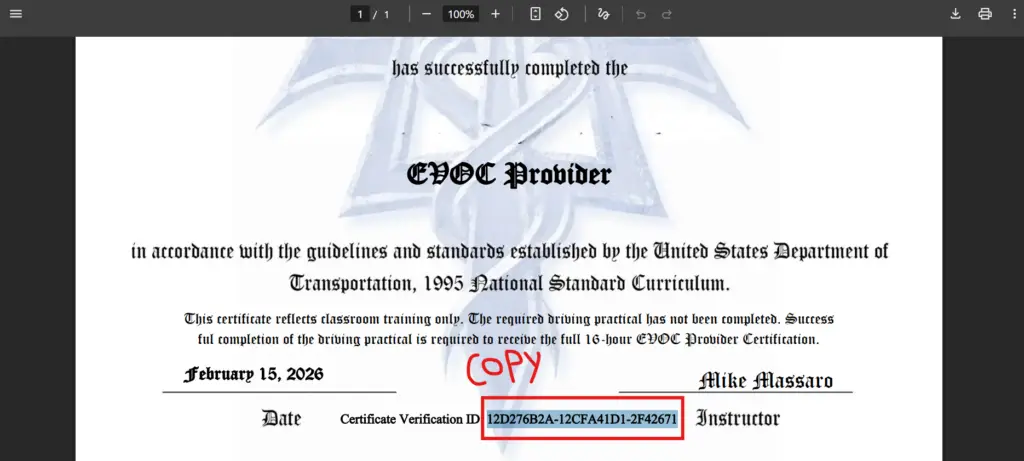
Step 4: Copy the Certificate ID

Once the certificate opens, copy the unique Certificate ID shown on the certificate.

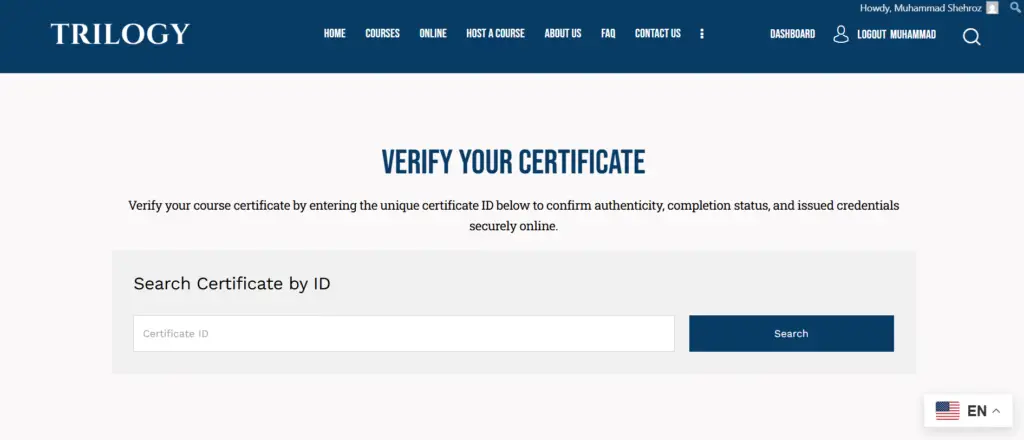
Step 5: Open the Certificate Verification Page

Navigate to the Certificate Verification page using the link below.

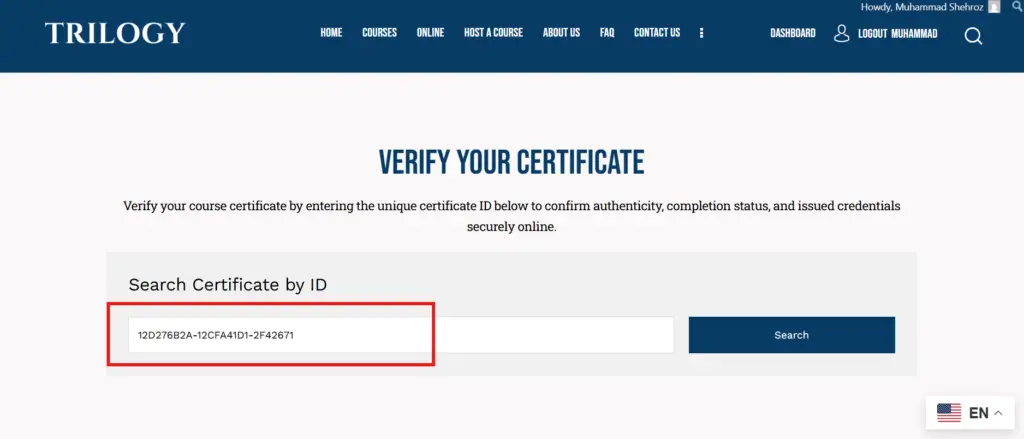
Step 6: Paste the Certificate ID

Paste the copied Certificate ID into the verification input field.

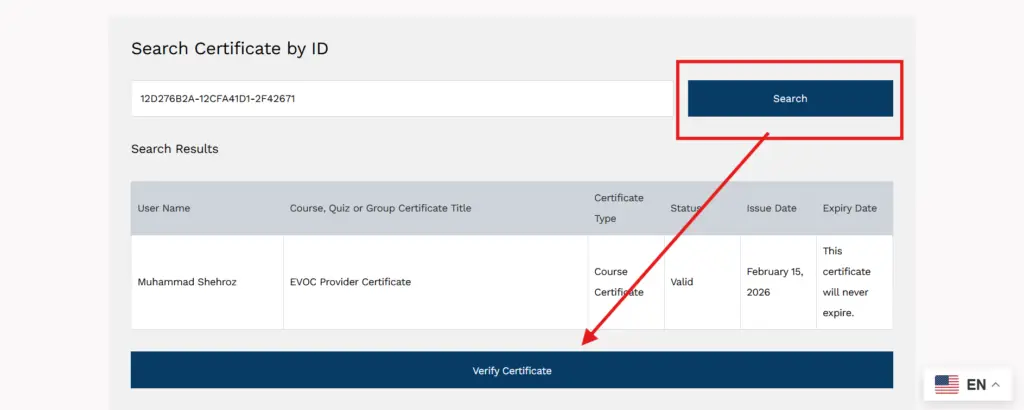
Step 7: Click Search and Verify

Click the Search button, then select Verify to proceed.

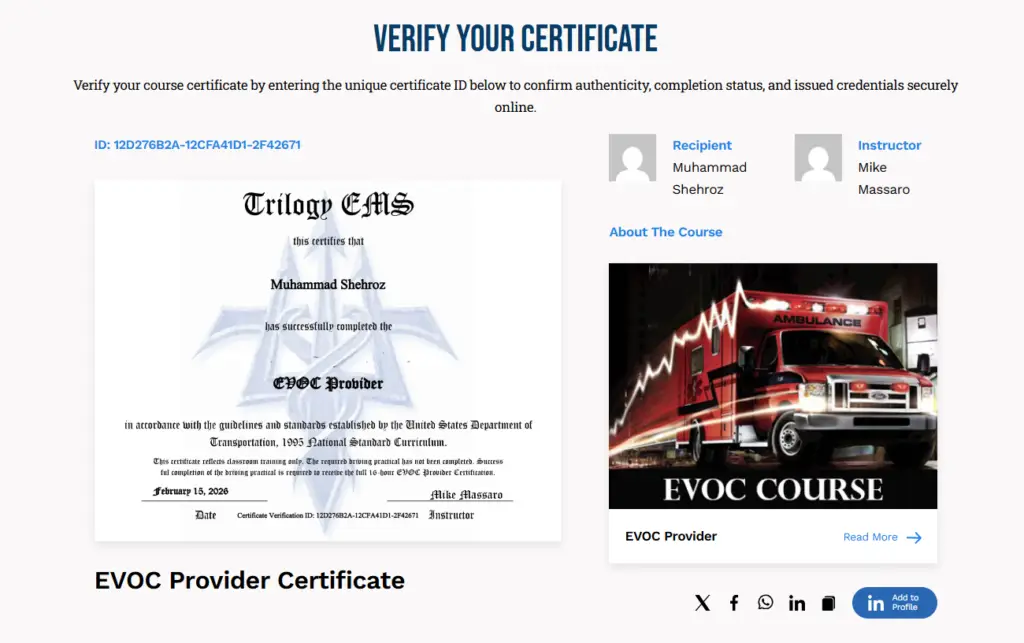
Step 8: View Verification Result

You will now see confirmation that your certificate is valid and authentic, along with relevant course and learner details.